The idea for FoundryPDF started with a simple frustration: why does adding a single illustration to a PDF require three different applications?
I wanted to add a portrait to a book I was creating. The process involved: finding reference images, opening Photoshop, creating the illustration, exporting it, opening the PDF editor, placing the image, adjusting positioning... it took an hour for something I could describe in a sentence.
What if I could just describe what I wanted?
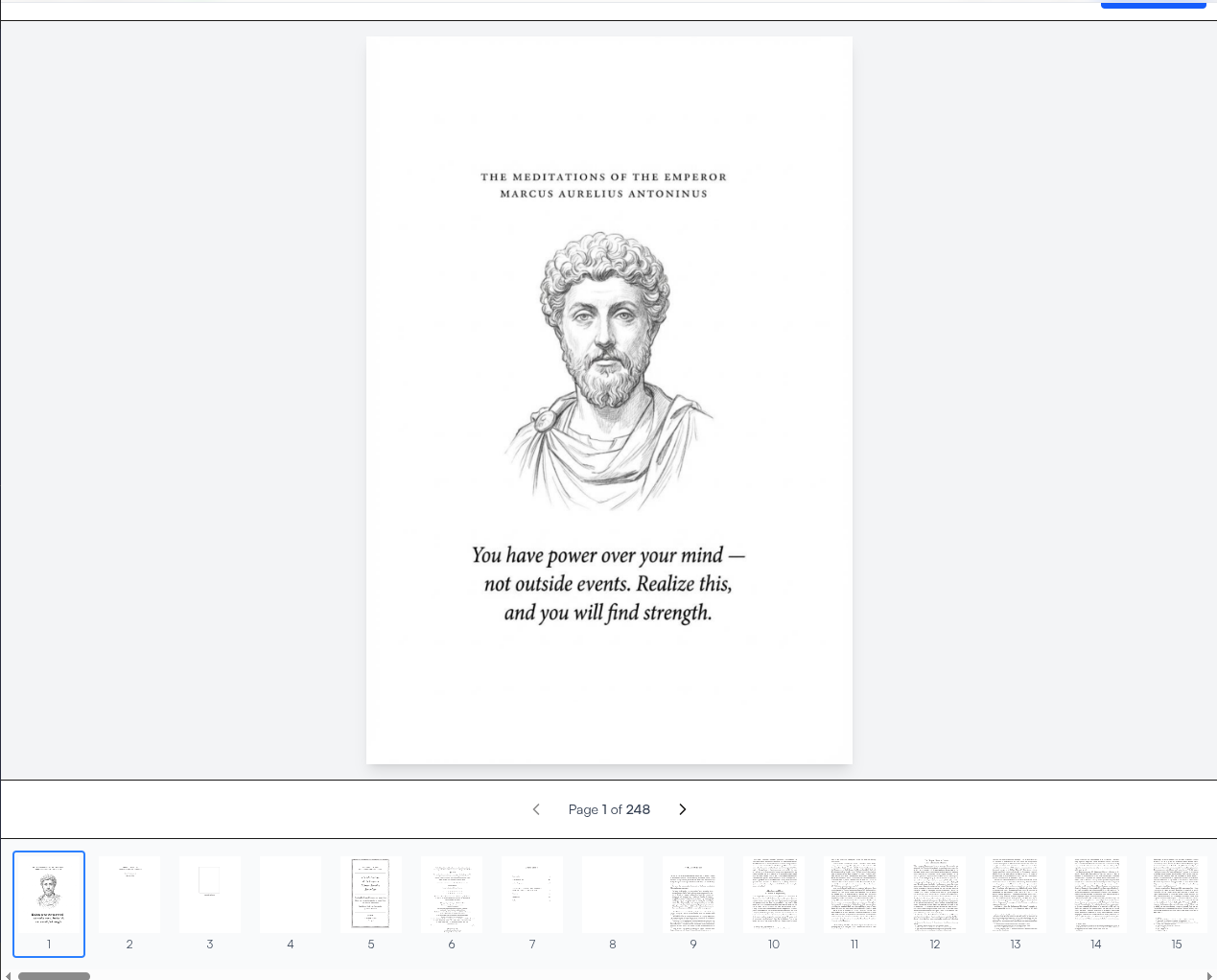
Choosing the AI Foundation
The core capability needed to be image generation that understood context. After evaluating options, Google's Gemini stood out for several reasons:
Multimodal understanding. Gemini can analyze existing pages as style references, understanding visual elements rather than just processing text prompts.
Quality at scale. The output quality at various resolutions - from 1K to 4K - remains consistent, which matters for print-quality documents.
Reasonable latency. While not instant, generation times are predictable enough to provide meaningful progress updates.
The integration uses the google-genai SDK directly, with prompts constructed from user input combined with PDF context when enabled.
The Processing Pipeline
PDF editing sounds straightforward until you actually try to preserve document integrity. The pipeline evolved through several iterations:
Step 1: Page Rendering. Each page gets converted to an image using pdf2image (which wraps poppler). Resolution depends on the selected quality tier - higher resolution means more detail but longer processing.
Step 2: Text Extraction. If context mode is enabled, pytesseract extracts text content from the page. This gets fed to the AI along with the user's prompt, helping it understand what it's working with.
Step 3: AI Generation. The prompt, context, and optional style references go to Gemini. The model generates an image that incorporates the requested changes.
Step 4: Compositing. The generated image replaces or augments the original page content. pypdf handles the PDF manipulation, ensuring the text layer stays intact for searchability.
Step 5: Assembly. Modified pages get merged back into the complete document. The result is a valid PDF that works everywhere PDFs work.
Each step can fail independently, which is why error handling got significant attention. A timeout in step 3 shouldn't corrupt the original document.
Real-Time Feedback with WebSockets
AI processing takes time. Users hate staring at spinners without knowing what's happening.
The solution was WebSocket connections that push progress updates as processing advances. When you submit an edit request, you see:
- "Rendering page 3..."
- "Extracting text content..."
- "Generating with AI (this may take 30-60 seconds)..."
- "Compositing result..."
- "Finalizing PDF..."
This transparency makes wait times feel shorter and builds trust. If something fails, users know exactly where it failed.
FastAPI's native WebSocket support made this straightforward. Each job gets a unique ID, and clients subscribe to updates for their job. The backend pushes status changes as they occur.
The Credit System Decision
Pricing AI products is tricky. Token-based pricing is confusing for users. Subscription tiers don't align with sporadic usage patterns.
Credits became the answer. The math is simple: higher quality costs more credits because it uses more compute. Users buy credit packs and spend them as needed. No subscriptions, no surprises.
Stripe handles payments through their checkout sessions API. Webhooks confirm successful purchases and credit user accounts. The whole flow is stateless and resilient to failures.
| Pack | Price | Credits | Per Credit |
|---|---|---|---|
| Starter | $10 | 10 | $1.00 |
| Value | $20 | 25 | $0.80 |
The volume discount on the Value pack encourages larger purchases without requiring commitment.
Authentication and Security
Better Auth handles user authentication. It's a newer library that provides a solid foundation without the complexity of larger frameworks. Email/password login with proper session management, no OAuth complexity needed for this use case.
File handling required careful attention. Uploaded PDFs go to isolated storage with unique identifiers. Processed files get cleaned up after download. No user documents persist longer than necessary.
Rate limiting via slowapi prevents abuse. The credit system provides natural throttling, but rate limits catch anomalies.
The Frontend Stack
React with TypeScript powers the interface. The choice was pragmatic - familiar tools that get out of the way.
react-pdf handles document rendering and thumbnail generation. It's mature and handles edge cases well.
Vite provides fast development iteration. Hot module replacement makes UI tweaks feel instant.
TailwindCSS 4 styles everything. The new version's simplified configuration reduced boilerplate significantly.
The interface prioritizes clarity over cleverness. Upload area, page selector, prompt input, submit button. No hidden features, no learning curve.
Lessons from Building
A few things that would have saved time if known earlier:
PDF processing is fragile. Every PDF library has edge cases that break. Building defensive code around every operation prevents mysterious failures.
AI latency needs transparency. Users will wait for good results, but only if they know something is happening. Progress updates transformed user feedback from complaints to patience.
Credits beat subscriptions for sporadic tools. When usage is unpredictable, pay-per-use feels fairer. Users appreciated not paying for months they didn't use the tool.
Preserving text layers is non-obvious. Naive image replacement destroys searchability. The compositing approach that keeps the text layer intact took several iterations to get right.
What's Next
FoundryPDF continues to evolve. The roadmap includes:
- Batch processing for editing multiple documents at once
- Style presets that remember visual preferences
- API access for programmatic document enhancement
The core insight remains: the gap between describing what you want and seeing it in your document should be as small as possible. Every feature gets evaluated against that standard.
No design degree required.